Share
Why legacy systems fail
Learn why legacy systems slow teams down, create risk, and block scale. Explore real examples of manual workflows, data limits, and UX issues that signal it’s time to modernize.

August 31, 2026
3 min
read
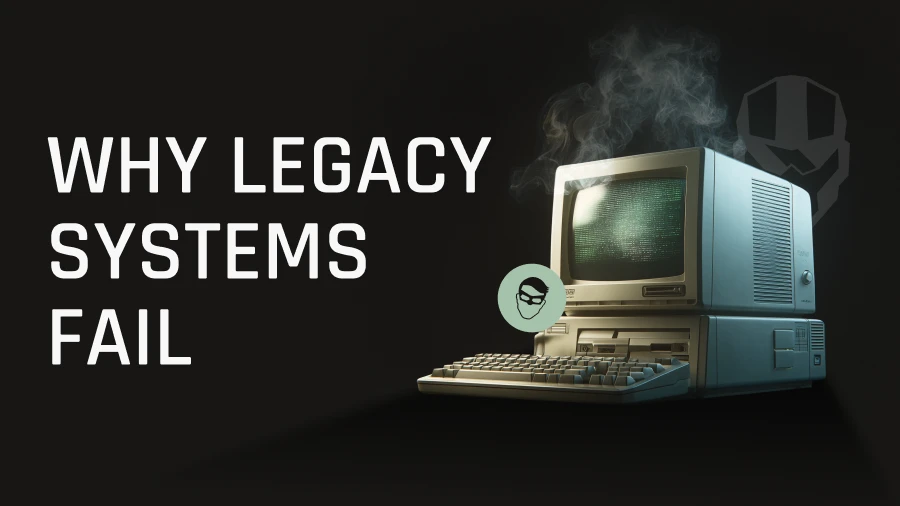
Learn why legacy systems slow teams down, create risk, and block scale. Explore real examples of manual workflows, data limits, and UX issues that signal it’s time to modernize.
If your product feels slower, harder to maintain, or more fragile with every release, your system may be showing early signs of legacy failure. Many SaaS founders and CTOs notice this long before they name it - performance issues, frustrated users, manual workarounds, and workflows that quietly expand over time.
Modern platforms need to scale, integrate, and support fast, accurate execution. Legacy systems rarely keep up. And as your data grows, the cracks become harder to ignore.
Below, we break down the real reasons legacy systems fail, based on verified insights from a major modernization project we are developing. You’ll see what breaks first, why it happens, and how these issues often show up inside SaaS platforms.
Teams using the old construction material management system spent hours comparing long PDF specification files - often containing dozens of products - against a product database. Every detail had to be entered manually: manufacturer, product type, collection, and name.
If the document listed 50 items, the team repeated that workflow 50 times. No shortcuts. No automation. Just constant switching between PDFs and database screens.
This manual effort extended beyond product identification. Documentation, sample ordering, and project setup all lived in separate tools. Instead of one connected workflow, users managed multiple platforms and pieced tasks together themselves.
With product catalogs as large as 86,000 items per manufacturer, manual searching created enormous room for mistakes. A search like “Exhibit” returned 345 possible products - leaving users to scroll, compare, and cross-check each option against the PDF.
Every step took time. Every decision carried risk. And the system didn’t do anything to help.
The previous platform simply wasn’t built for the scale it needed. As data increased, performance cratered. Queries slowed. Features that once worked began to break. The architecture used outdated solutions and couldn’t process the volume of product data the business relied on.
When your system can’t keep up with your data, everything downstream slows down, too.
Searches took longer than necessary. Filtering products required multiple attempts. Reviewing and assembling documentation turned into a time-consuming task.
When performance lags, the platform becomes a bottleneck - not a business enabler.
A system’s interface shapes how people work. In this case, the old UI forced users to navigate cluttered screens and complicated flows. The interface created unnecessary friction. Users had to work through complicated layouts instead of following a clear workflow.
There were no clear workflows or intuitive paths. Users had to remember where information lived instead of relying on the system to guide them.
Because the UI was difficult to understand, onboarding required formal training - not for domain knowledge, but for the software itself. Teams had to learn workarounds to compensate for the platform’s limitations.
This is the hidden cost of legacy UX. Complexity isn’t just inconvenient - it slows down every interaction and increases the chance of mistakes.
Before modernization, users moved constantly between:
Nothing integrated. Every handoff required manual steps, re-entered details, or exported files.
The legacy system didn’t support essential industry integrations like Measure Square or Procore, which forced teams into time-consuming, repetitive work.
Modern SaaS platforms can’t afford these breaks in the workflow.
Project binders in this domain routinely reach hundreds of pages, containing:
The legacy system didn’t automate any of it. Users manually assembled documents, verified details, and reworked files when something changed.
Old systems weren’t built to compile, store, or process documentation at this scale. As documentation needs grew, the system struggled - slowing teams down and increasing the likelihood of missing or outdated information.
Legacy systems may feel familiar, but they introduce real business risk - the slow kind that compounds over months and years.
Operational risk: Manual workflows, repeated data entry, and slow performance add friction to everyday work. Over time, teams accept inefficiency as “normal,” even though it shouldn’t be.
Scaling risk: A system that can’t handle more data, more users, or more features holds your roadmap hostage. You can expand your offering, but the platform can’t match your pace.
Competitiveness risk: When your internal tools slow down your team, your product slows down too. Legacy systems affect release cycles, customer experience, and your ability to innovate.
These gaps were clear when the platform was rebuilt - and so were the improvements.
Improved performance and scalability: The new architecture processed large data volumes quickly. Searches became fast and reliable, and workflows stopped hitting performance limits.
Modern, intuitive UX: A redesigned interface introduced clear workflows, simpler navigation, and layouts aligned with how users actually work.
Automation where it matters most: The new system automated heavy workflows like product identification and binder generation. Tasks that once took hours happened in seconds.
Integrated workflows across tools: With support for integrations like Measure Square and Procore, teams could finally move through one connected environment instead of juggling multiple tools.
The difference was immediate: workflows became lighter, faster, and more accurate.
If these symptoms feel familiar, your system may already be showing signs of legacy strain. The next step is understanding what old software truly costs your team.
Web3 and fintech startups face infrastructure costs long before revenue — from node operations to real-time data processing and fraud detection. In 2026, over $600K in cloud credits is available to offset these costs, but most teams either apply too early, choose the wrong program, or build architectures that collapse once credits expire.
Blockchain rarely fails the way traditional systems do. The real risks lie elsewhere — in early-stage centralization, validator downtime, protocol upgrades, and infrastructure gaps. Based on insights from CIDT engineers, this article explains where outages actually come from and how to prevent them before they impact your network.

The SEC’s new token taxonomy provides a functional roadmap for founders, classifying crypto assets into five distinct categories from digital commodities to securities. This summary breaks down how to align your token architecture with these new guidelines to ensure compliance and utility from day one.

The stablecoin market hit $300B — and with GENIUS Act signed and BlackRock issuing tokenized funds, it's now core financial infrastructure. This guide breaks down all 8 types of stablecoins: how they work, where they've failed, and what trade-offs matter for builders and product teams.

In this article, we compare how the US, EU, UAE, and offshore regions regulate stablecoins and what that means for issuers. If you plan to launch a stablecoin, your choice of jurisdiction affects compliance, risk, and long-term growth.
Production systems require fundamentally different thinking than testnet. Real users expose reliability gaps, monitoring failures, and process weaknesses that testing never catches. This article shares hard-earned lessons about building systems that survive continuous operational pressure, handle failures gracefully, and maintain security in daily practice.
Modern construction SaaS platforms rarely fail outright. They fail quietly - by letting ambiguity travel through search, documents, and integrations until it becomes expensive to fix. This article offers a clear executive lens for evaluating architecture through risk, control, and exposure.
Old software doesn’t fail overnight - it quietly drains time, accuracy, and operational capacity. This article breaks down the hidden costs CEOs and CFOs often overlook and shows how modernization exposes the true price of legacy systems.

CIDT has been named a Winner of the 2025 TechBehemoths Global Excellence Awards in Blockchain, Custom Software Development, and Mobile App Development. The recognition highlights the company’s operational excellence and impact across U.S. and global tech ecosystems.
Choosing the right blockchain stack defines not just your tech base, but how fast, secure, and scalable your product can become. This guide from CIDT compares Solidity, Rust, Move, and CosmWasm ecosystems in 2025 - showing how each impacts delivery speed, audit readiness, and long-term maintainability.
QA isn’t just about finding bugs - it protects your business from costly risks. Skipping QA can mean lost revenue, churn, and broken trust. This post shows why QA is essential for predictable releases and how it saves time, money, and reputation.

.svg)